about : Upload
Drag and drop your PDF or image, or select it manually from your device via the dashboard. You can also connect to our API or document processing pipeline through Dropbox, Google Drive, Amazon S3, or Microsoft OneDrive.
Verify in Seconds
Our system instantly analyzes the document using advanced AI to detect fraud. It examines metadata, text structure, embedded signatures, and potential manipulation.
Get Results
Receive a detailed report on the document's authenticity—directly in the dashboard or via webhook. See exactly what was checked and why, with full transparency.
How modern forensic tools and AI detect fake PDFs
Detecting a fake PDF requires combining traditional forensic techniques with contemporary machine learning models. At a basic level, forensic analysis inspects the file's metadata and structure: timestamps, creator application identifiers, embedded fonts, and revision histories can all reveal inconsistencies. For example, a contract claiming to be created in 2017 but showing creation metadata tied to a 2023 version of an application is an immediate red flag. Tools that parse the PDF object stream can also identify anomalous XObjects, suspicious embedded JavaScript, and modified cross-reference tables that indicate tampering.
Machine learning extends detection beyond static rules by learning patterns associated with legitimate versus manipulated documents. Natural language processing (NLP) models compare writing style, formatting conventions, and typical phraseology for a given document type. Deep-learning image analysis inspects scanned pages or embedded images to reveal signs of splicing, cloning, or retouching—subtle pixel-level inconsistencies that are invisible to the naked eye. For instance, if a signature image has cloning artifacts around edges or inconsistent lighting relative to the surrounding document, an image-analysis model will flag it.
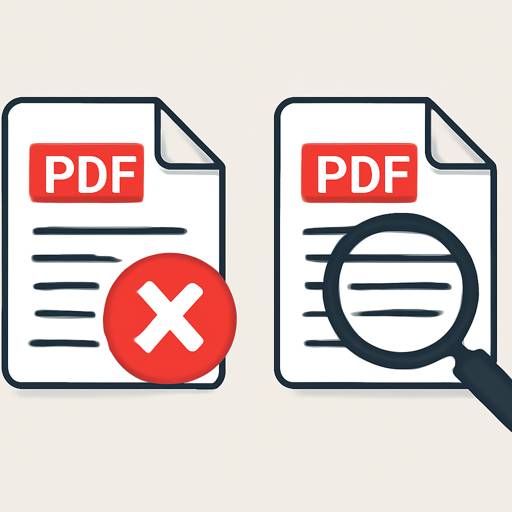
Another important technique is digital signature validation: PDFs often contain embedded signatures that use cryptographic certificates. Verifying the certificate chain and validating timestamps against known authorities confirms whether a signature is authentic or has been applied after content changes. Watermarks, layered content, and transparency groups are also inspected to ensure that visual elements haven't been added or removed. Combining these checks with heuristic rules—like unexpected font substitutions, unusual color profiles, or embedded links to external resources—creates a multi-layered approach that significantly reduces false negatives.
Practical steps anyone can take to verify a PDF’s authenticity
Start with the file itself. Right-clicking a PDF to view properties or using a PDF inspector reveals basic metadata: authorship, modification dates, and the software used to create the file. Look for mismatched timestamps, inconsistent authors, or missing creation dates. Next, view the PDF’s layers and attachments—official documents often include attachments or hidden layers only present in legitimate copies. If the document contains a typed name with an image of a signature, treat it differently from a cryptographically signed PDF; image signatures are easy to paste into other documents.
Use automated tools and services that perform deep checks. Uploading a suspect file to an analysis service will run it through content, metadata, and signature validators. For organizations that need scalable verification, integrating an API into document workflows ensures every incoming contract or certificate is checked automatically. When you need a quick online check, a single trusted tool that consolidates these tests can help you detect fake pdf documents without manual expertise. Always prefer services that provide a detailed, itemized report so you can understand exactly what was flagged and why.
Finally, corroborate document claims with external evidence. Verify signatories by contacting the issuing organization, cross-check serial numbers or reference IDs against official databases, and compare the suspect document with a verified original when possible. For high-stakes documents—legal contracts, financial statements, identification papers—use multiple independent validation methods: metadata inspection, signature verification, and human review by a trusted authority. Document provenance is as important as technical validation; knowing the document’s journey reduces risk of accepting counterfeit files.
Real-world examples and case studies: where PDF fraud matters most
PDF manipulation appears in many sectors, and real-world cases highlight the range and sophistication of attacks. In recruitment fraud, applicants submit forged diplomas or altered CVs to inflate credentials. A university admissions office used a combination of metadata analysis and font-consistency checks to identify applicants who had pasted scanned images of certificates into new PDFs. The analysis revealed mismatched font families and anachronistic creation timestamps, leading to the discovery of several fraudulent applications.
In finance, fake invoices and altered bank statements are common in business email compromise and vendor fraud. One mid-size company nearly paid a fraudulent invoice for thousands of dollars; the accounts-payable team caught the manipulation when automated inspection detected an altered numerical font and a digital signature that failed certificate validation. By comparing the suspicious file’s byte-level structure against archived genuine invoices, the company demonstrated that the attacker had edited a previous invoice rather than creating a legitimate billing document.
Legal and governmental documents present another high-risk area. A courtroom case involved a forged affidavit submitted as evidence; investigators used image forensics to detect inconsistencies in the signature’s pen pressure and micro-level stroke artifacts. Simultaneously, metadata analysis showed the PDF had been exported from a consumer-grade editor not used by the issuing law office. In academic publishing, counterfeit research papers have appeared with fabricated peer reviews—document provenance checks and cross-referencing submission logs were key to exposing the scheme.
These cases underscore the importance of layered verification: automated AI checks paired with human validation and external corroboration. Transparent reporting that explains which checks were performed—metadata, structural, cryptographic, and image analysis—empowers organizations to act confidently. Implementing consistent, automated screening into document intake workflows reduces fraud exposure while maintaining an auditable trail for compliance and legal defense.